
- Home
- Good to know
- Access your storage unit with your iPhone
Access your storage unit with your iPhone
You can now book your storage unit at Squarefoot Selfstorage including a Bluetooth-enabled padlock, allowing you to unlock it conveniently using your smartphone.
This brings several advantages for you as a storage unit tenant:
Hardly anyone leaves the house without their smartphone these days, and if they do, they usually notice while still in the stairwell. But rare keys, such as those for a bicycle lock that haven't made it onto your main keyring, are easily forgotten—leaving you standing in front of your securely locked storage box unable to get in. With the Bluetooth padlock, opening your storage box is child's play.
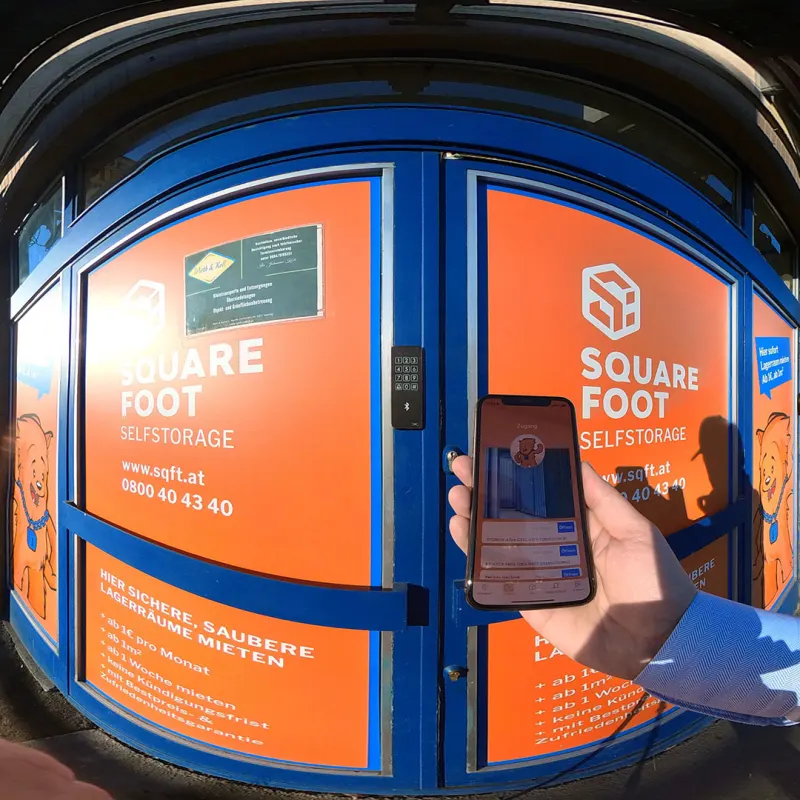
Our Bluetooth lock eliminates another potential contact point, which is especially useful in times of colds, flu and other viruses. Although foot traffic at our self storage locations is very low anyway and we clean them regularly, every bit helps.

Did you know that the Bluetooth logo consists of the two Old Norse runes H and B, commemorating the Viking King Harald Bluetooth?
He was famous for his exceptional communication skills—a trait shared by our locks as they communicate with your smartphone.
You can now share access to your storage unit with others. If you want to grant family members or colleagues access to your document archive or wine cellar, you no longer need to arrange a complicated meeting to hand over a key. You can simply pass access on to any iPhone user by sharing your login with them.
This means a central storage unit for a sales team can easily be used in the morning on the way to client appointments, restocked during the day by a supplier, and in the evening a third colleague can drop off a file before a business trip that the first two will need the next day. (This example is so specific because one of our customers uses it in exactly this way.)
Or if it's the external family basement, any family member can pick up the wine for dinner on their way home without having to get the key from home first. (Very helpful with teenagers, for instance, when you can just download the key instead of going home and then heading back out again.)
If you use your self storage unit as a storehouse for your online shop, you can now grant any supplier remote access to your box, provided you trust them. In some cases, our boxes are even used as a postal delivery address.
Unlike handing someone a physical key—where you don't know if or how often it has been copied, or where it currently is—our app and contactless Bluetooth padlock allow you to revoke access at any time.
Suppose you gave your daughter's supposed long-term boyfriend access to the family storage unit and are now concerned about your stored items after the relationship didn't last as long as hoped: you can revoke access at any time at the touch of a button.
Or suppose one of your colleagues has their mobile phone stolen. Instead of having to fit a new padlock as quickly as possible to secure your inventory, you can simply revoke access remotely.
You can easily add the system when booking your storage unit. Simply select "Interested in contactless access".
As soon as you receive your rental agreement, you will find your login details on it.
You can download the app from the Apple App Store:
Log in with your details and you're ready to go. When you visit your box, you'll find the Bluetooth padlock already on it. Use the app to unlock it. Our team will be happy to advise and assist you.
Looking for storage space?
All locations with live availability and prices – book online in minutes.
More good to know
What is self storage?
What is self storage? We explain the concept of renting storage space: secure units from 1–40 m³, flexible …
How does self storage work?
How does self storage work? Renting your storage unit is that easy: book online, move in with a PIN code, …
Why rent self storage?
Why rent self storage? The main reasons for a storage unit: moving, renovating or needing extra space …